Customization
Learn how to customize your views and settings
Written By Adtaria Support
Last updated 8 months ago
Customize List view
List View customization controls which columns appear in the deals table.
Customizing Columns
Switch to List View
Click Customize View
Toggle columns on or off
Close the menu
The table updates automatically.
Common Columns
Deal Name
Company
Value
Stage
Priority
Follow-up Date
Close Date
Owner
Last Contacted
Note: Hidden columns are not removed, just hidden from view.
Use Cases
Hide low-importance fields to reduce clutter
Show value and close date when forecasting
Create a clean outreach-focused list view
Quickly scan only the data you care about
Customize Deal Card
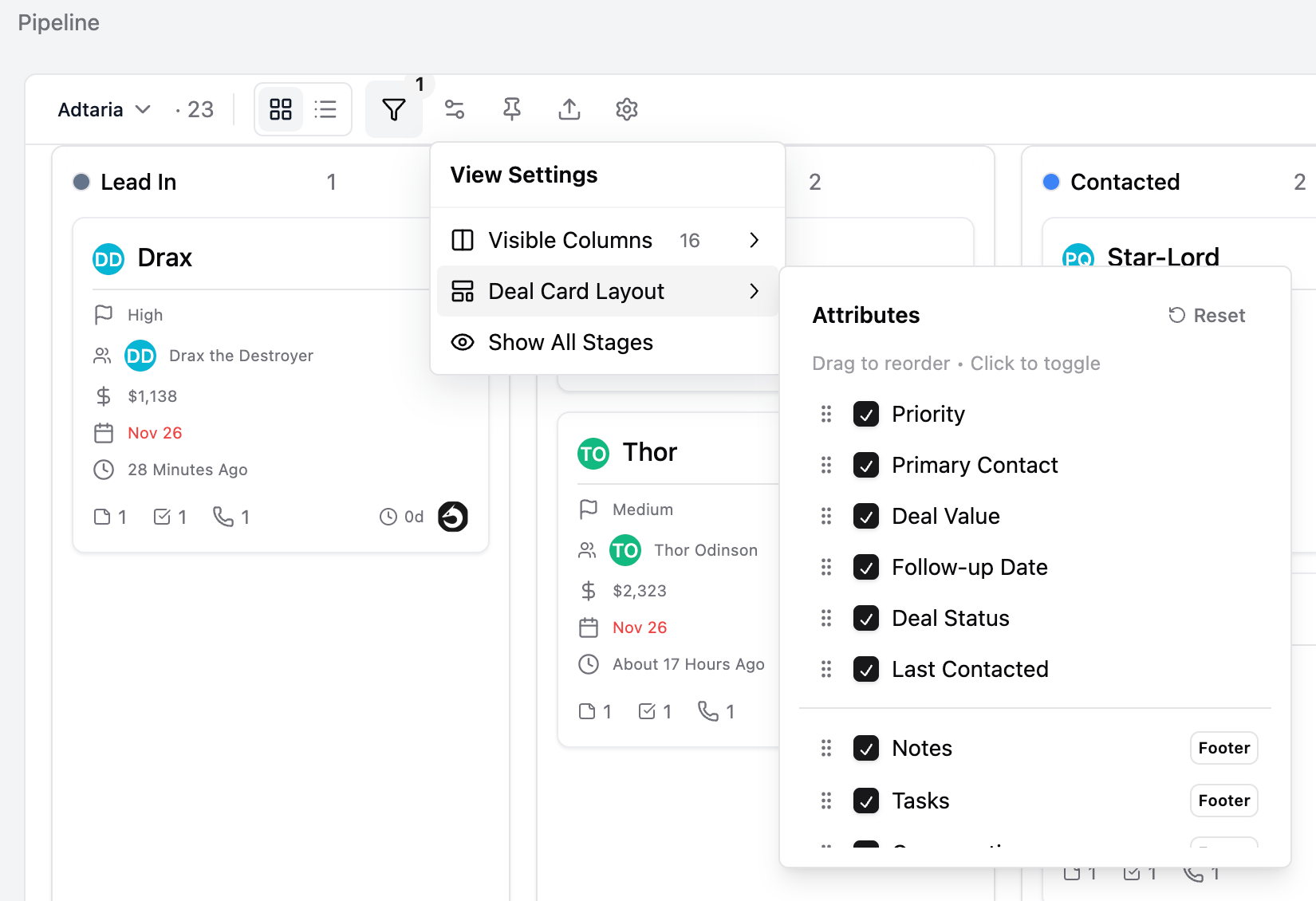
Kanban View customization controls which attributes appear on each deal card.
Customizing Card Attributes
Switch to Kanban View
Click View Settings
Toggle attributes on or off
Close the menu
Deal cards update instantly.
Common Attributes
Value
Priority
Follow-up Date
Close Date
Owner
Links
Platforms
Note: This only affects what’s visible on the card, not the deal data itself.
Use Cases
Keep cards minimal for fast pipeline reviews
Highlight follow-up dates to avoid missed tasks
Show priority during team reviews
Remove noise when working high-volume pipelines
Customize View Settings lets you tailor each view to how you actually work—without changing the underlying Pipeline or deals.
Customize Deal Display
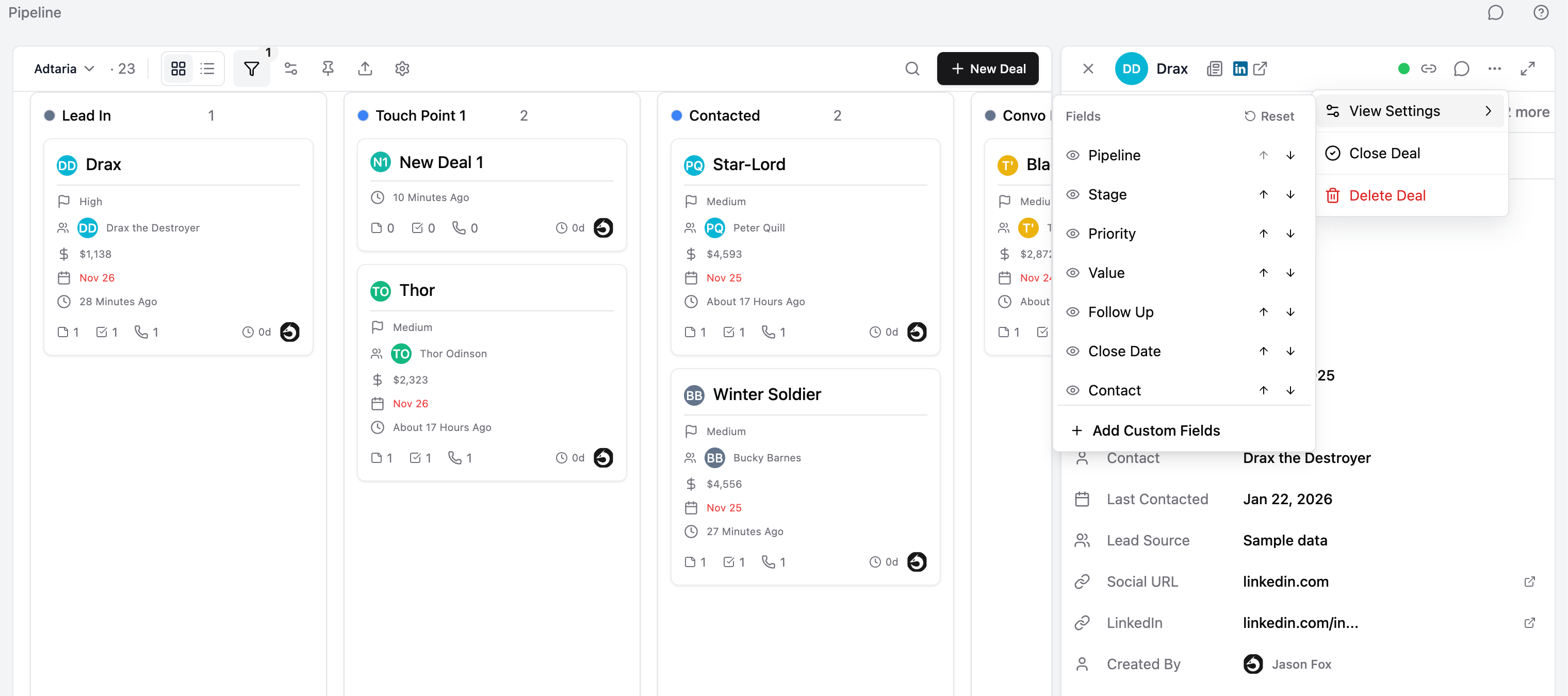
Customize Deal Display lets you control which attributes are visible inside the Deal Panel. This helps you focus only on the information you actually use when working a deal.
Accessing Customize Deal Display
Open a deal from the Pipeline page
In the deal panel, click the three-dot menu
Select Customize Deal Display
Customizing Deal Attributes
Toggle attributes on or off
Close the menu
The deal panel updates immediately.
Common Attributes
Value
Priority
Pipeline
Stage
Follow-up Date
Close Date
Owner
Last Contacted
Custom fields (if available)
Note: Hidden attributes are not removed—only hidden from the deal panel view.
How It Works
Customizations apply to the deal panel layout
Deal data remains unchanged
This does not affect List or Kanban views
Use Cases
Reduce clutter when reviewing deals quickly
Highlight follow-up and priority during daily work
Hide rarely used fields
Create a cleaner, faster deal workflow
Customize Deal Display keeps the deal panel focused so you can move faster without losing important context